Container
To try out Axiom without any permanent changes or installation, run the official Axiom Docker image like so:
$ podman run --rm -it afl5c/axiom
Replace "podman" with "sudo docker" or "container" depending on your system. For more options, see the Docker run reference.
Binaries
This zip file contains Axiom binaries compiled for various platforms:
- axiom.exe - Windows x86-64
- axiom.mac - MacOS x86-64
- axiom.linux - Linux x86-64
- axiom.rpi - Raspbian ARM-32
- axiom.android - Android ARM-64 (for use within Termux)
- axiom.arm - Linux ARM-64
Installation
On Posix systems, the recommended way to install is:
$ unzip axiom.zip axiom.[platform]
$ chmod +x axiom.[platform]
$ mv axiom.[platform] /usr/local/bin/axiom
For example, on Linux you would type:
$ unzip axiom.zip axiom.linux
$ chmod +x axiom.linux
$ mv axiom.linux /usr/local/bin/axiom
On Macs, you may need to allow the axiom.mac binary
within the "System Settings" app → "Privacy & Security" tab
→ "Security" header.
On ARM Macs, you will also need to install Rosetta:
softwareupdate --install-rosetta
On Windows, the recommended way to install is to double-click the zip file,and copy "axiom.exe" to "C:\windows\".
Syntax Highlighters
Axiom source files should have the extension ".axm" in order to be recognized.
Visual Studio Code
Search the extensions panel for "Axiom" and you should find it:
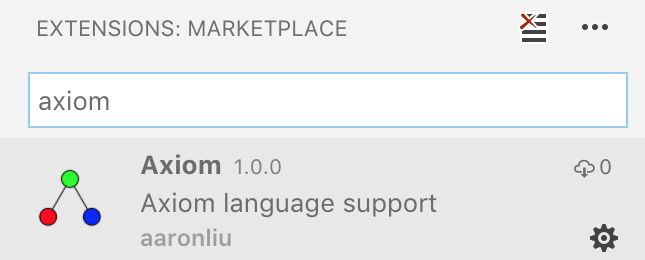
Alternatively, you can visit this page in your browser or download the extension for offline installation here.
Vim
Download axiom-vim.tgz and run:
$ tar xf axiom-vim.tgz
$ sh install.sh
You may also want to add the following to your
~/.vimrc:
set nu              "show line numbers
syntax enable       "enable syntax highlighting
set shiftwidth=4    "tab key shifts 4 spaces
set tabstop=4       "tab character shifts 4 spaces
set autoindent      "copy indent from previous line to new lines
set ignorecase      "ignore case when searching
colo sorbet         "use the "sorbet" colorscheme
autocmd BufEnter * :syntax sync fromstart
"^highlight from start of file, not current location
" this fixes highlighting bugs in long files
Web
Include axiom.js and put your code in a tag like:
<pre data-lang="axiom">...</pre>
Then somewhere in your Javascript code you can do:
document.querySelectorAll('[data-lang="axiom"]').forEach((el)=>axiom.highlight(el));
You may also want to include the following CSS:
pre {
	-moz-tab-size: 4;
	tab-size: 4;
}